

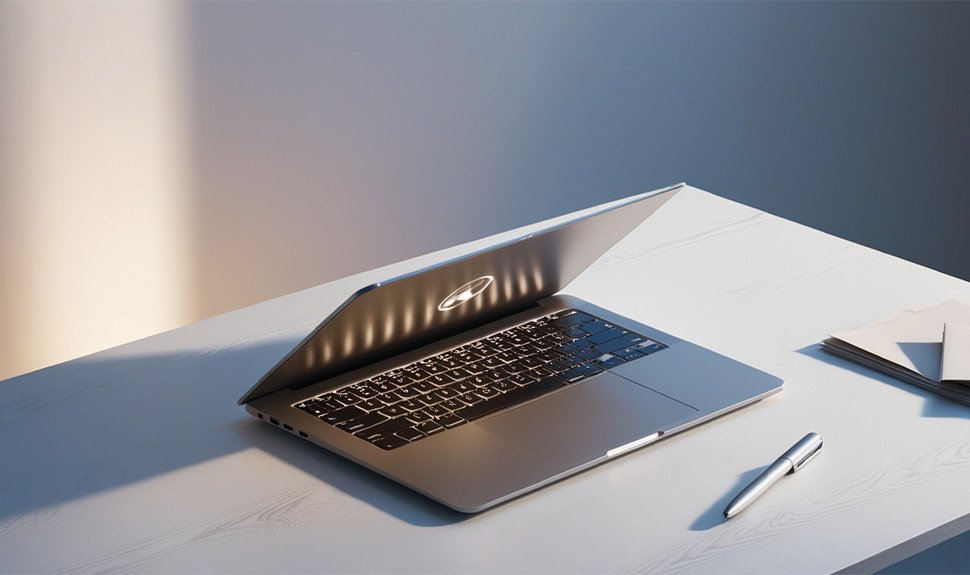
For students all the way up to college level, each one should have a trusted laptop. Having a laptop may help you take notes, research, and turn in assignments. This guide is a list that focuses on the top student laptops for 2025 and provides a little bit of everything regarding needs and budgets.
Best Laptops for Students in 2025
Here are our picks for the best laptops for students in 2025:
1. AXL VayuBook Laptop

Source: Amazon
The Acer AXL VayuBook Laptop is built with students in mind and claims to provide balanced performance at affordable prices. This is ideal if you need it for daily academic work, online classes, and multimedia requirements.
Key Features:
– 14-inch HD display
– Intel celeron processor
– 4GB RAM and 128GB SSD
– Lightweight and portable
– Long battery life
– 128GB SSD may fill up quickly
2. Chuwi GemiBook

Source: Amazon
The Chuwi Gemibook is a great laptop that offers high-end performance to students in the best price range. This laptop is 20.6mm slim and packs some power, making it a perfect machine for multitasking and efficiently getting your work done on the go!
Key Features:
– 13-inch 2K display
– Intel Celeron J4115 processor
– 12GB RAM and 256GB SSD
– Full-metal body
– Backlit keyboard
– May not be durable as high-end laptops
3. MSI MODERN 15

Source: Amazon
MSI MODERN 15 is a powerful laptop for students who require it for advanced applications. Its stylish design and high-grade specifications make it a perfect match for the working environment and entertainment.
Key Features:
– 15.6-inch Full HD display
– Intel Core i5 processor
– 8GB RAM and 512GB SSD
– NVIDIA GeForce MX330 graphics
– Thin and light design
– Shorter battery life as compared to ultrabooks
4. Primebook 4G Laptop

Source: Amazon
If you are a student always finding yourself on the go, the Primebook 4G Laptop strikes an ideal balance of portability and connectivity. Thanks to 4G connectivity, you can stay in touch with your friends no matter where you are.
Key Features:
– 11.6-inch HD display
– Android-based OS
– 4GB RAM and 64GB eMMC
– Built-in 4G connectivity
– Small and compact design
– Less storage may limit ability to store large files
Choosing the Right Operating System for Your Laptop
1. Windows
Advantages:
– Versatility: It has great support for software and hardware, which is why Windows operates on almost all systems out there.
– User-Friendly Interface: The interface is simple and easy to understand, especially for those familiar with Windows PCs.
– Productivity Tools: For productivity, you have Microsoft Office available right out of the box since it is used in everything and educational institutions.
Disadvantages:
– Cost: This includes Windows licenses, a significant price that pads the overall cost of getting your new laptop.
– Security: More viruses and malware are written for Windows than any other operating system.
2. macOS
Advantages:
– User Experience: macOS delivers a beautiful, user-friendly interface designed with the end-user in mind while providing seamless integration capabilities across Apple devices.
– Performance: Macs are renowned for powerful and durable systems that are particularly useful for robust tasks such as video editing and graphic design.
– Security: macOS has good security, so it is free of malware and viruses.
Disadvantages:
– Cost: Macs are pricier than Windows laptops so they can make a big difference for financially constrained students.
– Software Compatibility: Almost all software has a functional macOS counterpart, even if few Windows-only specialised programs exist.
3. Chrome OS
Advantages:
– Affordability: we would make the Chromebooks more expensive than laptops based on Windows and macOS.
– Simplicity: It is a simple Google OS inspired by the internet and cloud storage.
– Security: Their limited operating system makes Chromebooks less likely to catch a virus or malware.
Disadvantages:
– Limited Offline Capabilities: Chrome OS depends too much on an internet connection, which can hold it back in offline scenarios.
– Software Limitations: There are limited software and applications you use that may be outside of Chrome OS.
4. Android
Advantages:
– Affordability: Budget is the main game, and Android-based laptops such as Primebook 4G are cheap.
– Connectivity: Android laptops have built-in cellular, keeping you connected while on the fly.
– App Availability: offers many applications via the Google Play Store.
Disadvantages:
– Limited Desktop Software: However, Android laptops cannot run the traditional desktop applications we all know.
– Performance: Your performance on an Android laptop may be better than what would have been possible in Windows or macOS.
Conclusion
A laptop that balances performance and affordability needs a built-in operating system. Highlighted models such as the AXL VayuBook, Chuwi Gemibook, and ZEBRONICS PRO Series are perfect for student needs. Knowing the pros and cons of different operating systems will help you make an educated choice to match your needs. So, go ahead and pick your favourite laptop from this list today!
Disclaimer: At IDPL, we help you stay up-to-date with the latest trends and products. It should not be construed as an endorsement to buy. IDPL may make a very small commission from its sale if one chooses to buy the product from any of the links in this article.